Putting a Spare Device Away for Months: Battery Storage Basics
A spare device needs more than an empty drawer. Build a storage record that captures its exact model, manufacturer instructions, charge preparation, location and review date without borrowing rules from another device.
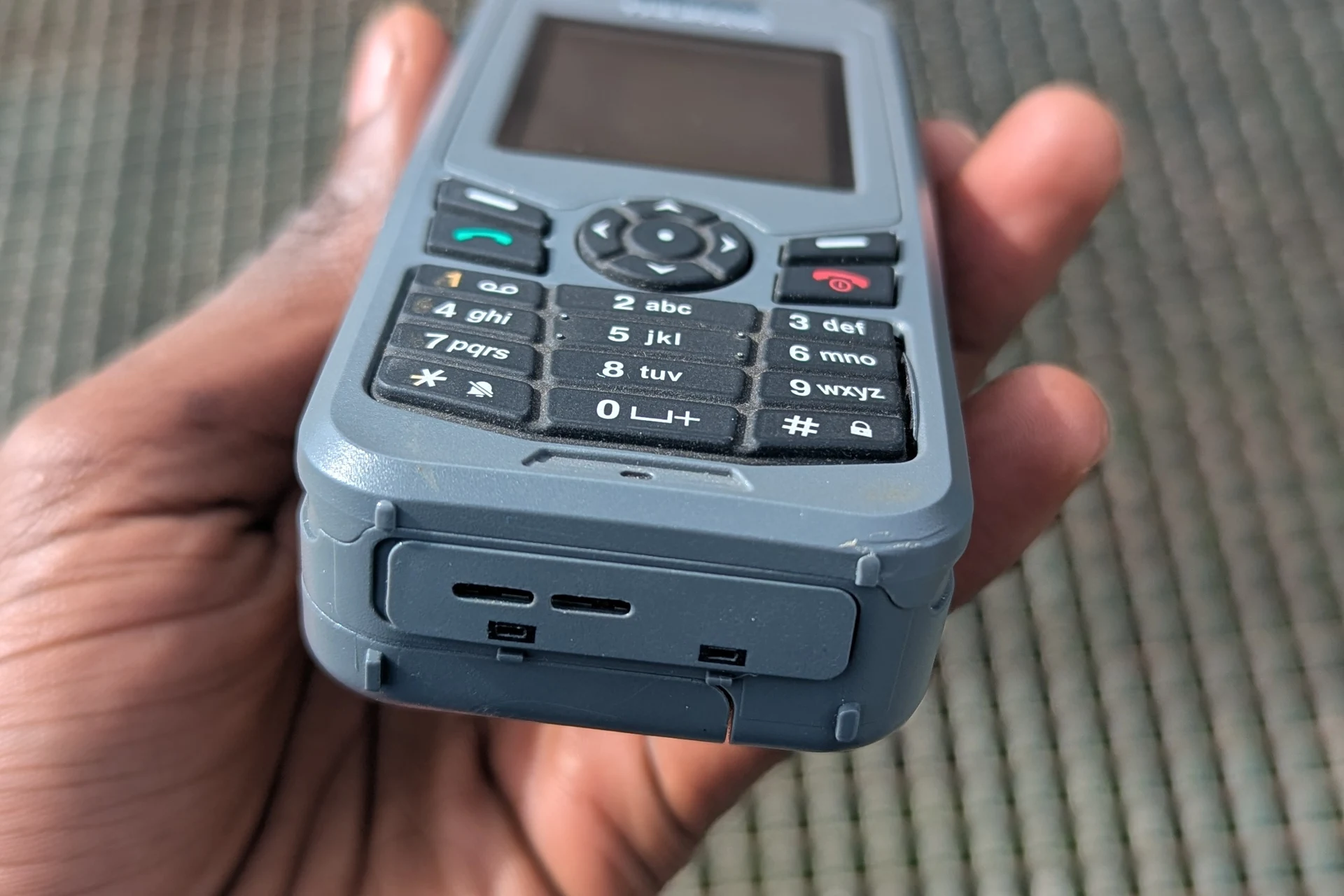
A drawer labelled “spare tablet” leaves several questions unanswered: which tablet, what condition was it left in, and when should anyone check it again? Add a short storage record and the next person has a usable starting point.
For an illustrative household, that record might read: “Spare tablet; model recorded below; prepared according to its storage instructions; placed in the study drawer; review reminder assigned to Sam.” The details matter more than the label on the drawer.
Long-term storage deserves its own plan. For its devices, Apple recommends charging to around 50% rather than fully charging or fully discharging the battery, powering the device down and storing it in a cool, moisture-free environment below 90°F (32°C). If storage will last longer than six months, Apple recommends charging it to 50% every six months. These are Apple’s long-term-storage recommendations; for another maker’s device, obtain its applicable instructions before filling in the record below.
Identify the device before choosing a routine
Write down the maker and exact model while you still have the device in front of you. “Old phone” is too vague when there are several similar devices in a household. Give it a plain-language label as well, such as “spare travel phone,” so its purpose remains clear.
Then locate the manufacturer’s instructions for extended storage. Check that they apply to the device, rather than an accessory, a different model or ordinary daily charging. Record the page title and where you found it so you can return to the same guidance.
Keep daily-use features in their proper place. Apple says Optimized Battery Charging may delay charging to 100% until shortly before a device is needed. That explains a charging behaviour; it does not supply a target charge level for leaving an unidentified spare device in a drawer for months.
If instructions do not clearly cover your model, leave that part of the record unresolved and seek clarification from the manufacturer. A blank marked “confirm” is more useful than a number copied from an unrelated device.
Write down the preparation instructions precisely
Make separate fields for charge preparation, power state and any stated follow-up interval. This prevents a loose note such as “charge before storing” from becoming the entire plan.
Copy the relevant instruction accurately, including any conditions attached to it. If the manufacturer gives a charge target, record that target. If it specifies a power state or a review interval, record those separately. Do not turn a conditional instruction into a rule for every device in the drawer.
Distinguish what was requested from what you actually did. “Preparation instruction recorded” and “preparation completed” are different entries. Add the completion date and the charge reading observed at that time, if available. That reading is a record of preparation, not a prediction of what the battery will show months later.
This is also a useful boundary for mixed-device households. An Apple phone, another maker’s tablet and a portable accessory should each have their own preparation notes. Similar appearance does not establish identical storage requirements.
Choose a location you can describe and revisit
“Study, upper drawer, left compartment” is easier to find than “somewhere cool.” Use a specific location description alongside the manufacturer’s environmental requirements. Inspect the proposed space against those requirements before treating it as settled.
A clean, dry drawer can be an organisational starting point, but its appearance alone does not establish that it meets a device’s storage requirements. Consider how the room is used and whether the location changes during the months you intend to leave the device there.
As a household choice, reserve a compartment so the device does not disappear under unrelated belongings. Keep its identification record easy to retrieve. You can record where the appropriate charging equipment is kept without assuming it must remain beside the stored device.
If you organise several devices, a simple index can prevent repeated searching: device label, storage location and record location. Avoid recording account passwords on that index; its job is to help you find equipment and instructions.
Use a storage record with an owner and a date
Copy this template into a note or onto a card. Fill the manufacturer fields before completing preparation. The review date should reflect applicable instructions; an extra household reminder is simply an organisational choice.
- Device label and exact model: identify the item.
- Reason for keeping it: state its intended future use.
- Manufacturer storage guidance: record the page title, location and date consulted.
- Charge preparation: record the applicable instruction.
- Power state: record the applicable instruction separately.
- Preparation completed: add the date and observed charge reading, if available.
- Storage location: identify the room and compartment.
- Environmental requirements checked: note what the manufacturer specifies.
- Next review: record the date, reason and responsible person.
For example, a household could assign one person to review the device before its next planned trip. That is a scheduling decision, not a battery-maintenance interval. If the maker requires earlier attention, the record needs that earlier date.
A shared record can sit alongside a household receipt folder when purchase details also need to be easy to find.
Plan the return to use before closing the drawer
Write the intended next step: review the storage instructions, inspect the recorded preparation details and consult the model’s guidance for returning it to use. Apple says a device removed from long-term storage may be in a low-battery state and may require 20 minutes of charging with the original adapter before use. Allow time for this possibility rather than assuming the device will be ready immediately when the drawer opens.
The record cannot certify battery condition or guarantee that a long-stored device will work. It also does not replace manufacturer instructions with a universal percentage, temperature or calendar interval.
Before putting the device away, check that another person could identify it, find the relevant instructions and understand the next review date. If those three things are clear, the storage plan remains usable even when you no longer remember the details.
Sources and editorial notes
Clean Your Phone and Case as Two Different Materials
A phone and its removable case can need different care. Build a two-column care card, identify the case material and keep Apple’s material-specific…

Washing a Down Jacket: Plan the Drying Stage Before You Start
Before washing a down jacket, confirm its permitted drying method, arrange equipment and leave time for checks. Use a preparation timeline and observation…

How to Clean a Laptop Screen Without Treating Every Display the Same
Before wiping a laptop screen, identify its finish and check the instructions for that exact model. Use this decision tree to separate preparation,…