Buying a Device Case Before the Device Arrives
You can choose a case before delivery if you can match the device model on your order to the case maker’s compatibility list. Use this worked example and copyable message to check generation, size, and openings before you buy.
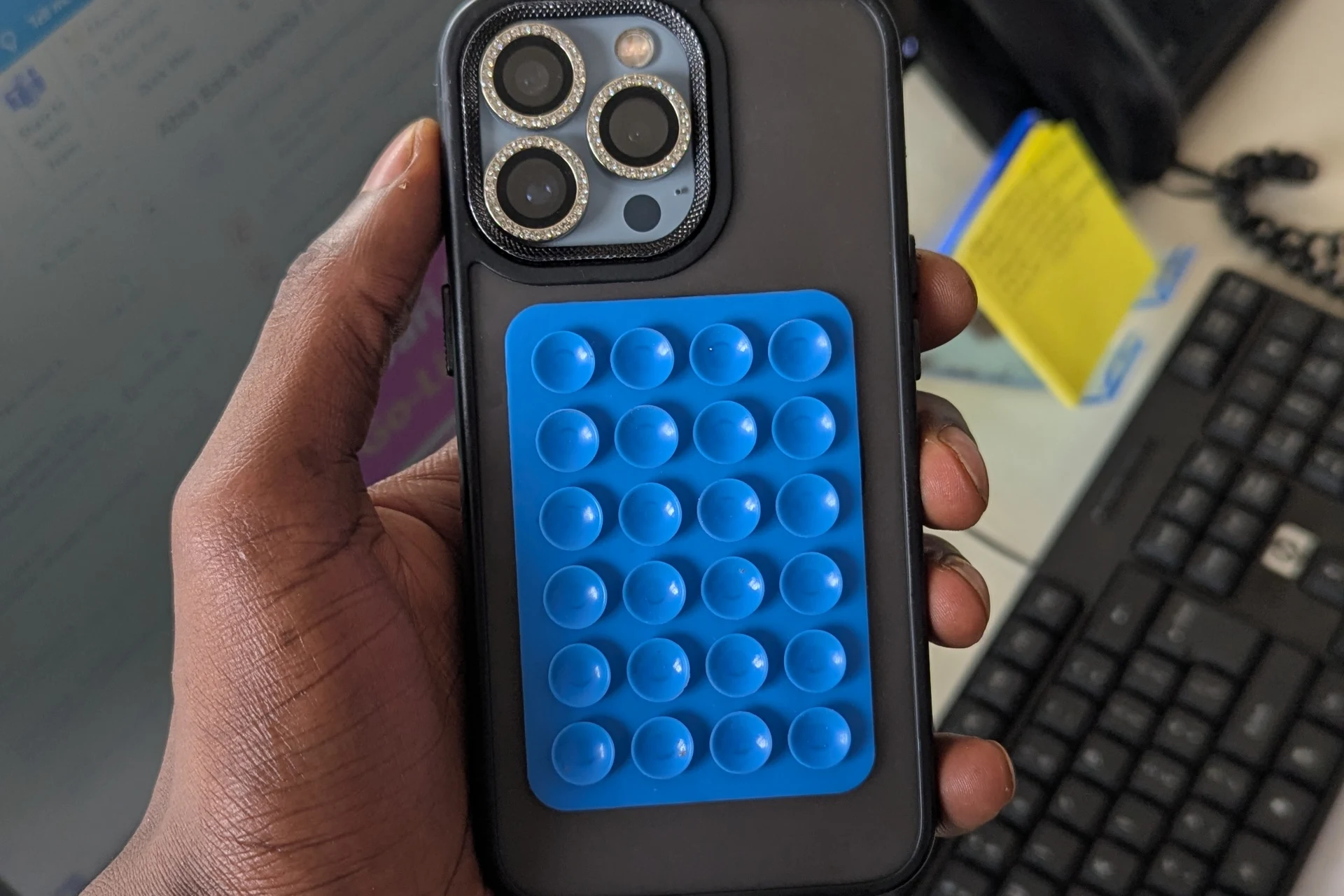
Your order confirmation is the starting point for buying a case before the device arrives. Match the device model, generation, and size to the manufacturer’s specifications. Then check that the case maker lists a fit for that model and that the cutouts line up. Cross off a case made only for a different model. If the listing leaves fit or cutout placement unclear, ask about the exact case SKU before buying.
Copy the model from your device order
Open the order confirmation or the detailed order page and copy the full product name, model number, generation, and any size identifier shown. If the confirmation gives you a shortened name, follow the link from the ordered item to its retailer listing and open the specifications for the selected variant. Check that the page is still showing your selection before you copy anything.
Say your order shows a Slate 11 tablet, model S11-260, third generation. Save those details together. If you only find a retailer item number, ask the seller which device manufacturer model number it corresponds to. You need that connection before you can compare the order with a case maker’s fit list.
Verify the generation and size on the device maker’s page
Look up the model number on the device maker’s specification or model identification page. Record the generation and size using the manufacturer’s wording. For a U.S. order, start with the manufacturer’s U.S. page. If your order identifies an imported variant or a regional model suffix, use the documentation for that exact identifier and check whether the case maker lists it.
In the fictional Slate example, the device maker lists S11-260 as third generation and S11-250 as second generation. It advertises both as 11-inch tablets. Searching for Slate 11 could therefore bring up cases for either model. Keep S11-260 in your notes when you compare case listings, even if the device and case titles display the same screen size.
Match the case SKU and check its openings
Select the case variant first, then find its SKU and compatibility list on the case maker’s page. Look for your exact model or a generation-and-size entry that the device maker maps to your model. On a listing with several fit options, check which SKU the compatibility details describe. If a shared diagram leaves that unclear, ask for the drawing for your selected SKU.
Compare the drawings from the same viewpoint. For a rear camera, compare both drawings from the back with the top edges oriented the same way. Start with the camera opening, then check where the case leaves room for the speakers and charging port. For buttons, check whether the case drawing shows a cutout or a built-in cover at each button’s position. In the fictional example, the older case’s camera opening sits in a different position from the camera shown in the third-generation device drawing.
Record the decision for each case
Use one row per case SKU so you can tell which variant you checked. In this example, Case A lists a different model and Case B leaves the model unspecified.
| Order identifier | Device maker’s specification | Case maker’s listing | Opening alignment | Match status |
|---|---|---|---|---|
| Slate 11, S11-260, third generation | S11-260, third generation, 11 inches | Case A fits only S11-250, second generation, 11 inches | Camera opening differs from the S11-260 drawing | Mismatch. Cross it off. |
| Slate 11, S11-260, third generation | S11-260, third generation, 11 inches | Case B lists Slate 11 with generation and model number unspecified | Drawing is unlabeled by model | Unconfirmed. Ask about the exact SKU. |
Mark a row confirmed when the case maker identifies your model for the selected SKU and its drawing or written confirmation accounts for the openings. Keep that SKU handy for the cart check, especially if the store groups several device generations on one page.
Send a question that names both items
Replace the example device details with your own and fill in the selected case SKU before sending this to the case maker or seller.
My order lists Slate 11, model S11-260, third generation. Does case SKU [insert SKU] fit that model? Could you send me the cutout diagram for that SKU?
If the reply gives you only the screen size or the product family, ask them to confirm the model number against the SKU. If fit is still unresolved when the device arrives, check the model label and compare the device with a drawing for the exact case SKU. Keep that case on hold if either the model match or the opening alignment remains unclear.
Related reading
- What to Ask Before Gifting a Refurbished Device
- Buying a Furniture Pair When Only One Piece Is on Sale
- A Travel Organizer That Fits the Bag You Already Use
- How to Compare Clothing Multipacks Without Buying Extras
Sources and editorial notes
This is an editorial planning guide, not a hands-on product test. Sources are linked for the factual details or seasonal context used here. Practical examples are editorial suggestions, not product tests. Check current availability and provider terms before purchasing.
- Google — 2026-11-09 — Shopping Search trends informed the Holiday 100 gift list; popularity is not product-testing evidence.
How to Keep Heat Out of Your Everyday Device-Charging Routine
Compare a sunny windowsill, a bedside charging spot and an open desk. This practical placement check helps you notice avoidable heat exposure while…

Google Photos: Check Device and Account Copies Before Deleting
A photo visible on your phone does not answer every question about where it is stored. Use a copy map and one disposable…

How to Review Large Gmail Attachments Without Losing Useful Messages
Find large Gmail attachments, decide which messages to keep, and verify saved files before deleting anything. A worked review batch separates useful correspondence…